You could create a batch file with net stop service name to cut a little traffic like windows update etc just have a shortcut to run it. A reboot is then needed to restore normal operation unless you workout the dependency's and make a net start file to do it in the right order.
I have a multi channel music server running on my network can be over the net if needed.
In windows 7 64 bit I am using around 300 kbs to get a 128 kbs stream.
Earlier today in the network resource monitor It was less.
I have had to remove the babylon search manually today I also blocked search.babylon.com in the hosts file c:\windows\system32\drivers\ect\ I added the line
127.0.0.1 search.babylon.com
Just remembered add to the host file.
127.0.0.1 deploy.akamaitechnologies.com
Basically they store stuff on you pc without out your permission, do a search on how they operate and problems they can cause..
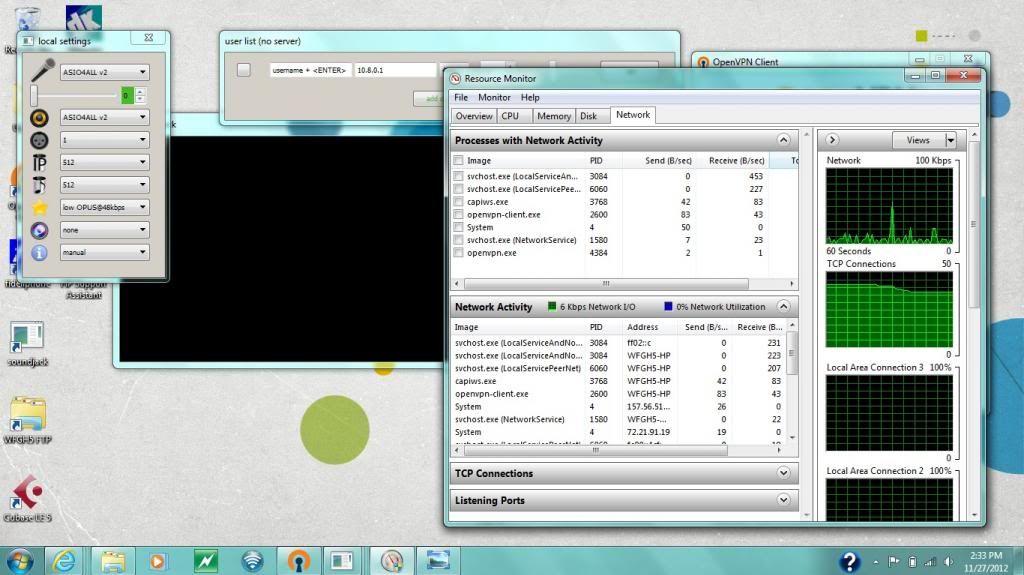
In this picture there is 2 openvpn images one is the destination of my server and the other is asus.dyndns.org consuming a bit over half what the winamp is receiving, I am not sure if it should be there.
If I try a tracert on the machine for asus.dyndns.org I get the 127.0.0.1 so maybe there is something leftover from the removal today.
The traffic in the image is for 1 128kbs stream using shoutcast 1.9.xx

Done a test with XP and its spiky as how I would expect playing 1 channel at 128 kbs.

I will have the same problem if I take win7 external on the net.